Category Teacher’s Resources

Pioneer Girls High School KCSE 2019 Results

Pioneer Girls High School is a private secondary school in Gatanga that managed to post a stunning school mean of 7.832 to emerge among the top best schools in KCSE 2019 Examination results in Murang’a County.

Pioneer Girls’ High School is a Girls’ boarding secondary school in Murang’a County.

95 candidates from the school sat for the 2019 KCSE examinations and 68 out of them managed the KUCCPS university direct entry.

The candidates who scored grade C and below are only 27 and among the no one scored a mean grade of E.

Pioneer Girls’ High School KCSE 2019 Results

Here are the KCSE 2019 results for Pioneer Girls’ High School, Murang’a County.

PIONEER GIRLS’ HIGH SCHOOL KCSE RESULTS 2019
Grade Entry
A 2
A- 13
B+ 11
B 17
B- 10
C+ 15
C 7
C- 10
D+ 8
D 1
D- 1
E 0
X 0
ENTRY
PASS%
KCSE 2019
95
71.6
7.832

Details about Pioneer Girls’ High School

  • Phone: 0705 723030
  • Website: http://pioneergirlsschool.co.ke/

Kahuhia Girls High School KCSE 2019 Results

Kahuhia Girls High School

In 2019 KCSE examination results, Kahuhia Girls’ High School an extra-County Secondary School in Kahuro Sub-County, posted a good school mean score of 8.543 to emerge the third top best school in Murang’a County.

Kahuhia Girls’ High School is a Girls’ boarding secondary school in Murang’a County.

269 candidates from the school sat for the 2019 KCSE examinations, and 240 out of them managed the KUCCPS university direct entry.

Despite being an extra county school only 29 students scored a mean grade of C and below.

The school did not have any student scoring D, D- or E grade.

Kahuhia Girls’ High School KCSE 2019 Results

Here are the KCSE 2019 results for Kahuhia Girls’ High School, Murang’a County.

KAHUHIA GIRLS’ HIGH SCHOOL KCSE RESULTS 2019
Grade Entry
A 5
A- 25
B+ 56
B 57
B- 50
C+ 47
C 18
C- 9
D+ 2
D 0
D- 0
E 0
X 0
ENTRY
PASS%
KCSE 2019
269
89.2
8.543


Details about Kahuhia Girls High School

  • Physical Location: Off Muranga-Kangema Road.
  • Address: P.O BOX 66-10206 ,Kahuhia.
  • City/Town : Murang`a. County:
  • Code : Phone Number: 0727 288234.
  • Address‎: ‎P.O BOX 66-10206 ,Kahuhia
  • Email‎: ‎info@kahuhiagirls.ac.ke/
  • Phone Number‎: ‎0727 288234

TSC Stops Salary Of Over 3,500 Teachers Due To Wealth Declaration Non-Compliance

tsc nancy macharia

In the middle of the coronavirus global pandemic, the Teachers Service Commission, TSC, has said that it will not pay over 3,500 teachers and secretariat staff who by the 14th of January 2020 failed to file their wealth declaration.

The commission released the sad news through a circular dated the 14th of April 2020.

In the circular, TSC CEO said, those who did not comply with the government’s directive of filing the wealth declaration online have been removed from the TSC payroll.

However, the commission says that those teachers will only be returned to the payroll after meeting certain conditions.

The conditions stated by TSC includes; writing a letter through the headteacher or principal or supervisor, explaining why they did not follow the instructions set by the government of declaring their wealth.

Besides, their immediate supervisors must confirm that the teachers or the workers are currently active.

The circular reads ” The Headteacher/Principal/Supervisor to confirm in writing, that the employee has been in active service, and /or has been teaching all along”

After writing the letter it should be signed by the supervisor, and forwarded to the teachers service commission headquarters through the county director stroke sub-county director, says the circular.

All the Kenyan government employees were mandated by law to file their wealth declarations online for the year 2017/2019. The procedure entailed declaring individual Income, Assets, and Liabilities by the 31st of December 2019 through the Wealth Declaration online portal.

Because of the non-compliance to the public ethics act of 2003, of declaring wealth, the over 3500 employees of the Teachers Service Commission TSC will miss their March and April 2020 salaries.

On 30th of December 2019, over 45,000 TSC teachers and staff had not complied with the wealth declaration mandate. Therefore, the commission extended the deadline by two weeks that ended on 14th of January 2020.

While issuing the previous circulars on wealth declaration the teachers commission had warned that those who fail to declare their wealth, or give false information, will be fined Kenya Shillings 1 million, or fase imprisonment for a term not exceeding one year, or face both.


TSC: Over 3,500 teachers and Staff to miss April 2020 Salary

Tsc Chairperson Dr. Nzomo and TSC CEO Dr. Nancy Macharia

More than 3,500 TSC employees have faced the wrath of the commission after failing to declare their 2017/2019 Income, Assets, and Liabilities by 31 December, 2019 through the TSC Wealth Declaration online portal.

This will doubtlessly add salt to already injured teachers bearing in mind that covid-19 pandemic has brought the economy to its knees.

In a circular dated April 14, 2020, TSC boss Dr. Nancy Macharia has noted that teachers and secretariat staff who failed to declare wealth will miss April 2020 salary.

“However, over 3,500 employees (secretariat staff and teachers) did not declare their Wealth within the stipulated deadline. Consequently, the Commission has stopped the employees‘ salaries for Non–Compliance from March and April 2020 payrolls.” said TSC CEO Nancy Macharia.

All teachers in employed by TSC are required to declare their Income, Assets and Liabilities. These include teachers on: Any kind of leave, Interdiction, Suspension or Sick leave.

Last year TSC cautioned that teachers who fail to submit or gives false or misleading information is liable to a fine of Kshs. 1,000,000 or imprisonment for a term not exceeding (1) one year or both upon conviction.

Reinstatement

For the affected employees to be reinstated back on payroll, the commission has indicated that they have to fulfill of the following requirements:

  1.  The respective employees (staff and teachers) are required to write a letter through their immediate Supervisor/Head teacher/Principal to explain why they did not adhere to the instructions to declare their wealth as stipulated in law.
  2. The Headteacher/Principal/Supervisor to confirm in writing that the employee has been in active service and /or has been teaching all along.  The letter should be validated and forwarded to TSC Headquarters by the TSC County Director/TSC Sub–County.
  3. To fast track reinstatement, the letters be scanned and emailed to TSC  headquarters with a covering letter listing the forwarded cases, by the TSC County Director.
  4. The scanned documents should be submitted to the HRM Digits group  emails:– allhrmdigits@gmail.com and copy to hrmdigits@tsc.go.ke and ddippd@tsc.go.ke
  5. For reconciliation purposes, indicate on the Remarks column of the  Excel list sent to the County, the status of the specific employee such as; – teaching/in service, retired, resigned, interdicted etc. The updated excel sheet to be submitted to the emails in No. 4.

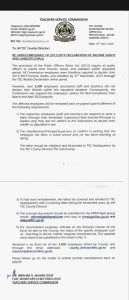
Below is the copy of the TSC Circular about TSC stoping salaries of over 3,500 Teachers and staff.


Circular-TSC-Stops-Salary-of-Over-3500-Teachers

Circular-TSC-Stops-Salary-of-Over-3500-Teachers

All the Kenyan government employees were mandated by law to file their wealth declarations online for the year 2017/2019. The procedure entailed declaring individual Income, Assets, and Liabilities by the 31st of December 2019 through the Wealth Declaration online portal.

How to file KRA individual tax returns correctly; What you must have

How to file 2020 KRA returns

Are you filing your Kenya Revenue Authority, KRA, individual tax returns and having difficulties? Well, here is your ultimate guide on all that you need in order to file your returns, online, successfully. Filing nil returns is pretty easy as compared to individual income tax declarations. for the latter, there are two categories i.e those having withholding certificates and those without them.

Here is all that you need to know and have in order to file your returns:

    • P9 Form: This is generated by your employer. It is a tax card showing the amounts of tax, relief and gross salary paid by the employer for a particular financial year.
    • Portal for filing your returns: The KRA returns are filed at the iTax Portal that can be accessed by using the link; https://itax.kra.go.ke/KRA-Portal/
    • Login credentials: To access the portal, you must be armed with your KRA PIN and Password. In case you have forgotten your password, it can be reset easily and within few minutes.
  • Procedure for filing individual tax returns: For a simplified procedure for filing individual tax returns, visit
    • Type of tax obligation: There are three types of individual tax obligations that can be declared. Income Tax Resident Individual is for Kenyans or residents (living in Kenya). On the other hand, Income Tax Non-resident is filed by individuals in respect of any employment with or services rendered to an employer who is resident in Kenya or to a permanent establishment in Kenya. They are not entitled to any personal reliefs. Finally, the third type of individual tax is Income Tax Rental income. This is tax payable by resident persons on residential rental income accrued or derived in Kenya where the rent income is between Kshs. 144,000 (Kshs. 12,000 per month) and Kshs. 10 million per annum.
    • Type of return: The type of return can be either original (if filing for the first time for a particular financial year) or amended (if making subsequent declarations/ corrections to the original return declaration).
    • Return period: This is the year for which a declaration is to be made. It shows the first day of the year/ Return period from (i.e 01/01/2019) and the last day of that particular year/ Return Period to (i.e 31/12/2019).
  • Resident Individual Form(Excel): This is the offline form onto which data is filled. It is downloaded from your iTax portal account. Here is your head start to filling the 2019 form;
SECTION A PART 1:
  1. Personal Identification Number: Your KRA PIN
  2. Type of Return: Original
  • Return Period From: 01/01/2019
  1. Return Period To: 31/12/2019
  2. Do you have any income other than employment income: As Appropriate for your case
  3. Do you have partnership income: As Appropriate for your case
  • Do you have estate trust income?: As Appropriate for your case
  • Has your employer provided you with a car?: NO
  1. Do you have a mortgage?: As Appropriate for your case
  2. Do you have a Home Ownership Savings Plan?: As Appropriate for your case
  3. Do you have a life insurance policy?: As Appropriate for your case
    • Do you have a commercial vehicle?: As Appropriate for your case
    • Do you earn any income from a foreign country?: As Appropriate for your case.
      • Have you been issued with the exemption certificate for disability?: As Appropriate for your case
      1. Do you want to declare Wife’s icome?: As Appropriate for your case (Though easier when each declares separately)
      • SECTION A PART 2: BANK DETAILS:
      1. BANK NAME: As Appropriate for your case
      2. BRANCH NAME: As Appropriate for your case
      • CITY: As Appropriate for your case
      1. ACCOUNT HOLDER’S NAME: As Appropriate for your case
      2. ACCOUNT NUMBER: As Appropriate for your case
      • SECTION A PART 3: DETAILS OF AUDITOR: As Appropriate for your case
      • SECTION A PART 4: LAND LORD DETAILS (SELF): As Appropriate for your case
      • SECTION A PART 5: TENANT DETAILS (SELF): As Appropriate for your case
      • SECTION A PART 5: TENANT DETAILS (WIFE):
      • SECTION A PART 6: DETAILS OF EXEMPTION CERTIFICATE FOR DISABILITY (SELF AND WIFE): As Appropriate for your case
      • SECTION F: DETAILS OF EMPLOYMENT INCOME(SELF & WIFE)
      • PIN OF EMPLOYER: This is the Employer’s tax PIN. It is found on your P9 form. For TSC employees, the PIN is P051098084N
      • NAME OF EMPLOYER: TSC
      • GROSS PAY: (SUBTOTALS + ARREARS as on P9 form)
      • Allowances and benefits from employer (i.e hardship) other than car and housing: As Appropriate for your caseNB: AVOID PART 3-5 IF NOT APPLICABLE.


      • SECTION J: COMPUTATION OF MORTGAGE INTEREST (SELF & WIFE): Avoid if not applicable
      • SECTION M: DETAILS OF PAYE DEDUCTED AT SOURCE FROM SALARY (SELF & WIFE)
      • PIN OF EMPLOYER: P051098084N
      • NAME OF EMPLOYER: TSC
      • TAXABLE SALARY: (SUBTOTALS + ARREARS as on P9 form)
      • TAX PAYABLE ON TAXABLE SALARY: PAY AUTO(PAYE) + RELIEF as in P9 form
      • AMOUNT OF TAX DEDUCTED (PAYE): PAY AUTO(PAYE); as in P9 form
      • AMOUNT OF TAX PAYABLE OR REFUNDED (PAYE): Ensure the Amount of Relief displayed here corresponds to that on your P9 form
      • SECTION Q: DETAILS OF INCOME TAX PAID IN ADVANCE (SELF): As applicable for your case. But mostly not applicable for many if not all. Thus, leave it blank.
      • SECTION T: TAX COMPUTATION:
      • No. 11.1: DEFINED/ PENSION CONTRIBUTION: 00
      • No. 12.6: PERSONAL RELIEF: Enter Total MPR Value as in P9 form.
      • No. 13.4: 00
      • No.: 13.5: 00
      • CLICK ON VALIDATE TAB (Check properly that all fields are entered correctly and that the tax due is zero or close to zero!)
      • You will be prompted to save the sheets. Click on yes. Once validated, the form will be saved in drive c..Location Path: C/user/docs/date….._ITR.zip
  • Version of Office required and how to enable Macros; You must have a Service Pack 2 and above of the Microsoft Office 2007 Program that is being used. You can either get a latest version of Office or simply update the current office 7 program to Service Pack 2 (Check out for the guide). You also must have Macros enabled on your excel program. Read more details here;

    KRA Tax Returns: How to enable Macros in Microsoft Office Excel when filling Individual income tax

  • E-return Acknowledgement Receipt: After successfully filing your returns, and E-slip is automatically generated. A copy is sent to your Email address (the one on you iTax portal) and you can download/ print another one.
  • For enquiries and/ or clarifications, please contact the KRA Customer care desk @:
  1. Phone: : +254 20 4 999 999 or +254 711 099 999;
  2. Email: callcentre@kra.go.ke
  3. Official twitter handles:  @KRACare and @KRACorporate
  • Applying for a waiver: You can apply to the KRA so as a certain amount of the imposed penalties can be slashed. This can be done by following the steps below:

How to check your TSC registration status

TSC-Teachers-Service-Commission- (3)

The Teachers Service Commission (TSC) requires you to hold a Certificate of Registration for you to qualify to practice teaching in Kenya. To make it easier for all prospective teachers, TSC introduced an online service platform to replace paper application. Now, all teachers have to do is to check their TSC registration status to know whether they are in the registry.

Even before checking your TSC online system registration status, you should have registered with the TSC portal. At this point, you will have to fill all the information needed by the TSC and scan and attach supporting documents (original copy). Some of the prerequisite documents include;

  • A copy of your national identity card
  • Certified copies of your professional and academic certificates
  • A copy of your KRA pin
  • GP69 form
  • Bank slip confirming payment of registration fees
  • Certificate of good conduct
  • One passport size photo For non-Kenyan,
  • copies of entry and work permits

If you are an expatriate teacher, you will also have to attach a clearance letter from the Ministry of Education. TSC has provided a teacher’s registration manual to make the process easy. Applicants who give false information will have to pay a fine of up to 100,000 Kenyan Shillings or serve an imprisonment term of twelve months.

How will I know I have been registered to TSC? Once you complete the registration process above, the TSC will review your application and get back to you within 30 days. If your registration is successful, the Teachers Service Commission will grant you the certificate of registration. With this certificate of registration, you can confirm your TSC number registration status.

Also, the TSC publishes a list of all registered teachers annually. On the other hand, if TSC declines your application, the commission will communicate within 30 days giving the reason for declining. Some of the grounds that may make the TSC deny your registration are;

  • Lack of the required academic and professional qualifications
  • Being of questionable moral character, i.e., you have been convicted of an offence against a learner or a sexual offence
  • Having a criminal offence conviction that makes you unfit to be a teacher
  • If proven that you engaged in activities considered prejudicial to good governance, peace, or good order in Kenya
  • Having a physical or mental illness that makes you incapable of administering your duty as a teacher

How to check TSC registration status online 1. You can check your TSC new teacher online registration status by visiting the TSC online services portal.

2. Click on ‘Registration Status.’